
Search for the best queue management system in India and you will find a page of vendors each claiming the title. None of them is lying, exactly — they are answering a question nobody asked. A single-doctor clinic, a nine-counter bank branch and a 400-bed hospital OPD do not want the same system, and the one that is best for the first is a mistake for the third. We have manufactured queue management systems in Bengaluru since 2001 and installed India’s first retail-banking QMS for State Bank of India in 2004, so this is the comparison we give a buyer who calls us, including the cases where our simplest product is the right answer and the cases where it is not.
Why ‘best’ depends on the counter, not the brand
A queue management system does one job: it turns a crowd standing at a counter into people sitting down, called in order. Every system on the market does that. The differences — and they are large — are in what sits on the screen, how the units talk to each other, how many queues and counters the hardware carries, and whether the queue exists only in the hall or also on a customer’s phone. Four questions settle it before any brand name comes up. How many counters call people forward, and will that number grow? Does the screen need to show department or doctor names, or are numbers enough? Can cable be run to the counters, or are the interiors finished? And does the queue need to reach beyond the room — a token booked from an app, a visitor looked up in your CRM, a report for a regional head? Answer those four and the field narrows to one or two systems. The rest of this article walks through the options in the order most Indian buyers climb them.
1. LED wired queue management systems
An LED wired system is the simplest complete system, and still the right one for a large share of Indian counters. A control box connects by one ordinary 6-core cable to a thermal token printer at the entrance, a calling unit at each counter and a bright 7-segment LED display on the wall. Power is needed at exactly two points — the control box and the printer — because the calling units and the display draw from the cable. That matters more than it sounds: an older bank branch or a government office with two sockets in the hall can run a wired system where a wireless one would need an electrician to add a point at every counter.
- Best for: bank branches, billing counters, pharmacies and government offices where cable can be run, up to 9 counters and 6 queues, with numbers rather than names on the screen.
- What it does well: the lowest installed cost, the fewest power points, and electronics that have no network to fall over — the cable is the network.
- What it does not do: named queues, forwarding a token between counters, mobile calling, SMS or reports. If any of those is in the brief, skip to the LCD system.
- Watch for: the display shows up to 8 lines, so a hall with 9 counters sees the board cycle; and the cable is client scope, laid by your electrician to our schedule.
2. LED wireless queue management systems
An LED wireless system is the same LED display and calling logic with the cable removed. A router in the hall carries the printer, the calling units and the display over the system’s own network, so nothing runs to any unit but its power lead. This is the system for finished interiors — a branch that has just been renovated, a leased floor where the landlord will not let anyone chase a wall, a clinic in a shopping complex. The trade is electrical: every unit needs its own 220 V point where it stands. The calling unit gains a small LCD showing the present token, pending count and link status, which is a quiet but useful upgrade over the wired keypad.
- Best for: occupied or finished premises with up to 9 counters and 6 queues, numbers on the screen, and sockets available at each counter.
- What it does well: installed in a day without disturbing the branch; runs on its own network, so your IT department has nothing to configure or secure.
- What it does not do: the same list as LED wired — no names, forwarding, app, SMS or reports.
- Watch for: 5 display lines, so six or more counters cycle on the board; and a POS printer carries only 2 queues and has no display — for 3 to 6 queues you need our thermal printer with six buttons on its face.
3. LCD wireless systems with named queues, kiosk, app and reports
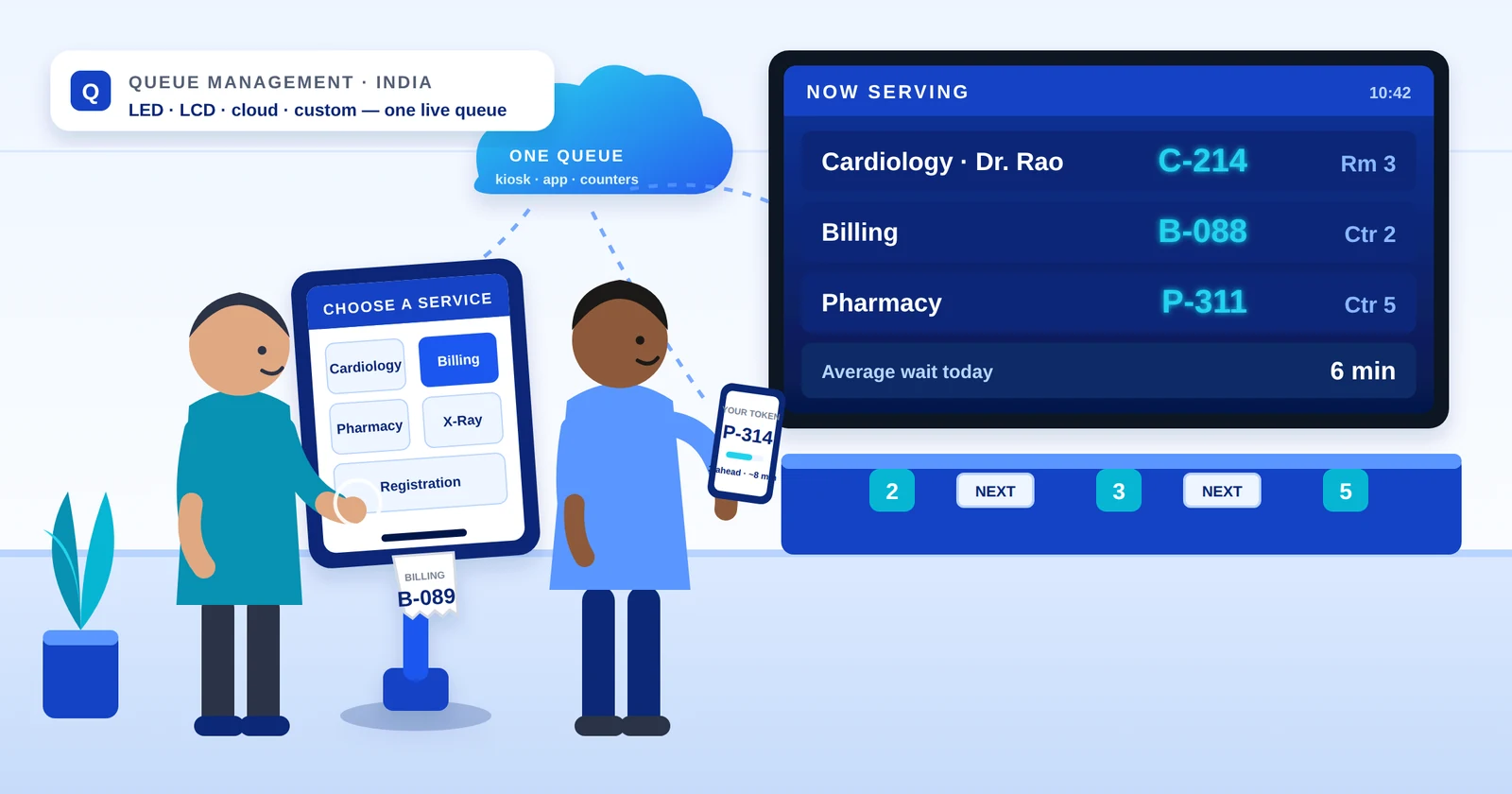
The moment a buyer says “Cardiology”, “Passbook Entry” or “Dr. Rao’s room”, LED is finished and the LCD wireless system is the answer. An LCD or TV screen shows the token against a named queue — 15 names on one screen, 30 on a swipe, configurable to 100 — and a touch-screen tab kiosk at the door lets the visitor pick a department instead of pressing a printer button. Behind that sit the features the simpler systems cannot offer: a token forwarded from registration to consultation to pharmacy on the same number, a mobile calling app for a doctor who moves between rooms, missed-token recall, SMS tokens, the same screen repeated in a second waiting area, and a mini server that records every token’s journey so the reports show real waiting times by hour, counter and department.
- Best for: hospital OPDs and diagnostic centres, multi-service bank branches, government service centres, telecom stores and any hall with more than 9 counters or more than 6 queues.
- What it does well: it is the only model in our range that handles a visitor who moves between counters, and the only one that produces the waiting-time evidence a NABH assessor or a regional office asks for.
- What it costs over LED: more screen, more software and a server — the price guide below has the ranges — but a hall that genuinely needs names or forwarding saves the difference in the first quarter of not fielding the same complaint twice.
- Watch for: it still needs 220 V at every unit, and like every wireless system it benefits from a quick radio check of the hall before the quotation is final.
4. Cloud and custom-integrated queue systems
This is where most ‘best QMS’ articles stop, and where the interesting work has moved. The three systems above are products; the fourth is engineering around them. A cloud token engine issues from the same number series as the physical dispenser, so a customer who books a token from your mobile app or website and a walk-in who presses the button at the door land in one live queue, called on one display, in strict order — and if the internet drops, the dispenser keeps printing and re-syncs when the connection returns. An appointment booking application integrates with the same queue, so a 10:30 appointment and a walk-in token are called from a single list rather than two. A welcome kiosk at a bank entrance looks the visitor up in your CRM by phone number over an API, creates the customer if they are new, asks a returning customer what they came in for and prints the token for the right counter. An AI chatbot can answer the visitor’s question first and generate a token only when a person is actually needed. Reports flow into Excel, Power BI or your HIS or ERP, and a feedback terminal closes the loop at the end of the queue. All of it is described, pattern by pattern, on our solutions page.
- Best for: multi-branch banks and NBFCs, hospital groups, salons and service centres that want online token booking, and any organisation whose CRM, HIS or ERP should know about the visit.
- What it does well: removes the gap between the physical queue and the digital one, and gives head office a live view across every branch.
- What it costs: you are not paying for a queue engine — that platform exists and we maintain it. You pay for the customisation around your process: the CRM integration, the app under your brand, the booking flow. The source code stays with us, which is precisely what keeps the quotation small.
- Watch for: data residency. Backends run on AWS, Google Cloud or Azure, or fully on-premise where customer or patient data must not leave the building — decide that at the start, not after.
Buying something simple? Buy it directly.
Not every counter needs an integration project. A single-doctor clinic, a pharmacy window or a two-counter billing desk is served well by a standalone token display with a handheld keypad, a token dispenser on its own, or the LED system above — all of which we sell off the shelf, delivered across India, with the thermal paper rolls to run them. The custom and cloud work is there when the queue needs to leave the room; it is never a condition of buying the hardware.
What Indian buyers actually pay in 2026
Prices are quoted per site because the count drives the cost, not the software — how many counters, how many displays, kiosk or push-button printer at the door. As a guide, a complete wireless LED system starts around Rs 45,000, an LCD wireless system without the kiosk around Rs 50,000, and the LCD system with the tab kiosk around Rs 60,000, each scaling with counters and displays. A wired LED system typically lands below the wireless LED figure because the hardware is simpler. Cloud and custom integrations are quoted on the scope of the customisation. Two things lower the lifetime cost more than any discount: owning the hardware outright rather than renting a licence, and a consumable that is ordinary — a standard 55 mm thermal roll with an end sensor, not a proprietary cartridge.
The full configuration-by-configuration breakdown — what drives the price up, what does not, and what to budget for a bank branch versus an OPD — is in our 2026 price guide.
Read the price guideChoosing by site profile
The quickest way to use the comparison above is to find your own site in this list.
- Single doctor, one pharmacy window, one counter: a standalone token display with a handheld keypad, or a token dispenser if you only need numbers issued. A full system is more than the counter can use.
- Bank branch or NBFC with 3 to 9 counters, numbers on the screen, cable possible: LED wired. Finished interiors: LED wireless. Named queues or a regional office asking for wait-time reports: LCD wireless.
- Hospital OPD or diagnostic centre: LCD wireless, almost without exception, because the patient moves between registration, consultation, lab and pharmacy and only LCD forwards one token through all of them.
- Government service centre or passport office with many services: LCD with the tab kiosk, 30 departments on a swipe, voice announcement in the local language.
- Telecom store, showroom or service centre: LED wireless for a simple hall; LCD with SMS tokens where customers prefer to step out and be texted back.
- Multi-branch organisation, or anyone with an app or a CRM: the cloud and custom layer on top of whichever hardware the branch needs.
The two sectors with the most specific needs have pages of their own: the bank queue management system page shows a typical branch layout with named queues and reports for the regional office, and the hospital queue management system page covers department mapping and token forwarding across an OPD. And if the counter count is the open question — whether four counters can carry the morning rush or a fifth is needed — our free queue wait time calculator runs the arithmetic from your footfall and service time and shows what each extra counter does to the wait.
Seven questions for every queue management vendor
- 1Who manufactures it? If the answer is an import or a rebadge, ask where spares will come from in year five and who changes the firmware when your workflow changes.
- 2How many counters and queues does this exact model carry, and what happens at the limit? Get the number in writing; an LED board that cycles because it has fewer lines than you have counters is the most common post-installation surprise.
- 3Can one token travel between counters? If your visitor moves — registration to consultation to pharmacy — a system that cannot forward has solved a quarter of the problem.
- 4Where do the reports live, and can I export them? A system without reports cannot prove a waiting time to an assessor or a regional head; a system with reports locked in a vendor portal is only slightly better.
- 5What is the consumable, and what does a box cost? A standard thermal roll with an end sensor runs for a decade on pocket money; a proprietary cartridge is a price rise you agree to on day one.
- 6What power and cabling does it actually need? Two sockets or one at every unit changes the installation cost more than the hardware price does.
- 7Can it integrate with what we already run — our app, our CRM, our HIS? Ask for a live example, not a slide. The difference between an API on a datasheet and one in production is a year of someone else’s pain.
A note on names: token system, token management, queue management
Indian buyers use these words loosely, and vendors mirror whichever one arrives in the enquiry. Token management system, electronic token system and queue management system all mean the complete installation. Token display system and token dispenser do not — each names a single component — and buying the component when you needed the system is the second most common mistake in this category. We have written the terminology up separately, with the four line items that reveal what a quotation actually covers.
Why buyers pick Infra DigiTech
We are the Bengaluru manufacturer behind India’s first retail-banking queue management system, with more than two decades of installations across hospitals, banks, government service centres and Kempegowda International Airport. We design the boards, write the firmware and the software, build the cabinets, install, and answer our own service line — one accountable partner from token to report. The simple products are sold direct and stocked; the cloud, app and integration work is engineered by the same team that builds the hardware it talks to, so there is never a vendor in between.
Three models, every specification published, and an engineer who will tell you which one your counters actually need — including when the answer is the cheapest one.
See the queue management system rangeFrequently asked questions
Which is the best queue management system in India?
The one that matches your counters. For a bank branch or billing hall with up to 9 counters and numbers on the screen, an LED system — wired where cable can be run, wireless where interiors are finished — is the best value in India. For a hospital OPD, a government service centre or any hall that needs department or doctor names, token forwarding, an app or reports, an LCD wireless system is the right choice. Organisations with an app, a CRM or many branches add a cloud layer on top. Infra DigiTech manufactures all three in Bengaluru and built India’s first retail-banking QMS in 2004.
Which companies make queue management systems in India?
A mix of domestic manufacturers and importers who rebadge systems built abroad. The practical test is to ask where the boards are designed and assembled and who writes the firmware, because that decides spares in year five and whether your workflow can be changed. Infra DigiTech designs, manufactures and supports its queue management systems in its own Bengaluru facility and has done since 2001.
How much does a queue management system cost in India in 2026?
A complete wireless LED system starts around Rs 45,000, an LCD wireless system around Rs 50,000, and an LCD system with a tab token kiosk around Rs 60,000, each scaling with counters and displays. A wired LED system is usually below the wireless LED figure. Standalone token displays for a single counter cost far less. Cloud and custom integrations are priced on the customisation, not on the platform.
What is the difference between an LED and an LCD queue management system?
An LED system shows numbers — token and counter — on a 7-segment display, carries up to 9 counters and 6 queues, and has no reporting. An LCD system shows named queues on a screen, is configurable to 100 queues with no fixed counter limit, and adds token forwarding between counters, a touch kiosk, a mobile calling app, SMS tokens, parallel displays and wait-time reports. If names, forwarding or reports are in your brief, you need LCD.
Can a queue management system integrate with an appointment booking app or our CRM?
Yes. Our cloud layer issues virtual tokens from an app or website in the same number series as the physical dispenser, so appointments and walk-ins are called from one live queue. A kiosk can look a visitor up in your CRM by phone number and create the record if new, and reports can flow into your HIS, ERP, Excel or Power BI. These are custom integrations built on top of the standard hardware; the hardware itself can be bought directly without them.
Is a cloud queue management system better than an on-premise one?
It depends on where the queue needs to be seen. A single hall with walk-in visitors needs no cloud at all. The cloud earns its place when tokens are booked from a phone, when head office wants a live view across branches, or when the queue must talk to a CRM or HIS. Backends can run on AWS, Google Cloud or Azure, or fully on-premise where customer or patient data must not leave the building, and a well-built hybrid keeps printing tokens when the internet drops.
Wired or wireless — which is better for a bank branch?
Wired is cheaper to install where cable can be run and needs power at only two points, which suits older branches with few sockets. Wireless is the answer for finished or leased interiors where nothing can be chased into a wall, at the cost of a 220 V point at every unit. Both carry the same counters, queues and calling logic.
Do I need a full queue management system for one counter?
Usually not. A single doctor’s room, pharmacy window or counter is served well by a standalone token display with a handheld keypad, or by a token dispenser if you only need numbers issued in order. A full system makes sense from two or three counters, or earlier if you need a record of waiting times.