
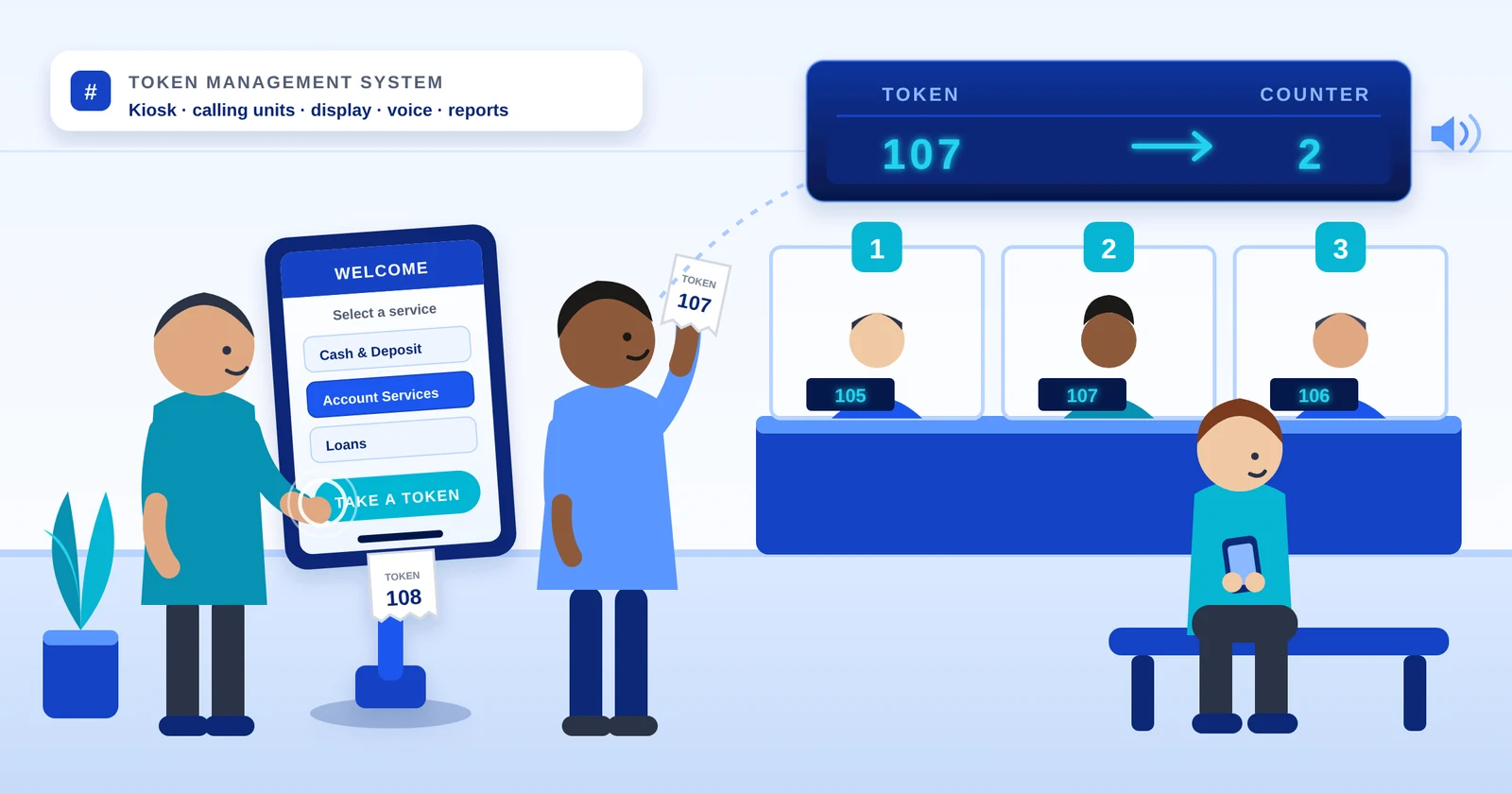
Send the words “token management system” to five suppliers in India and you can get quotations for five different things: a complete multi-counter installation, a single LED board, a printer on a stand, a mobile app, and a software licence. That is not vendors being slippery. It is a genuinely loose phrase, used differently by a clinic owner with one doctor and a bank with nine counters. This post settles the terminology first, because getting it wrong costs you either money you did not need to spend or a system that does half of what you assumed it would.
Is a token management system the same as a queue management system?
Essentially yes. The two names describe the same machinery from two directions. “Token” names the artefact the customer is holding — the printed slip with a number on it. “Queue” names the process the branch is running — the line that slip replaced. A supplier who writes token management system and a supplier who writes queue management system are, nine times out of ten, quoting for the same equipment.
The split is habit, not specification. Hospitals, clinics and government offices in India tend to say token system, because the visitor is holding a token. Banks, telecom stores and corporate buyers tend to say queue management, because the branch is managing a queue. Vendors simply mirror whichever word arrived in the enquiry. There is no standard that separates the two, and no feature a token management system has that a queue management system does not.
The short answer
Token management system, electronic token system and queue management system are synonyms — all three mean the complete installation. Token display system and token dispenser are not synonyms for it; each names one component. If the phrase has the word “management” in it, you are asking for the whole thing.
Where the words genuinely diverge
The synonym stops working the moment “management” drops out of the phrase, and this is where buyers lose money. Three terms get used as though they were interchangeable, and only the first one means a system.
- Token management system / electronic token system / queue management system — the complete installation. Something issues numbers, staff call them, displays and voice announce them, and the system records what happened.
- Token display system — the board on the wall, and nothing else. It shows the number currently being called. On its own it is driven by a small handheld keypad, which means a person is still deciding who is next.
- Token dispenser — the machine at the door that prints the slip. On its own it issues numbers in order and does nothing else: no calling, no display, no record.
A display and a dispenser can be bought separately, and for a single counter that is often the right call. What turns the two of them into a system is the layer in between — a calling unit at each counter, a hub that holds the queue state, and the record the whole thing leaves behind.
How to tell what a quotation is actually describing
A vendor will use your own words back at you, so the heading on the quotation proves nothing. Read the line items instead. Four of them tell you whether you are looking at a system or at a component with an ambitious name.
- 1Is there a calling unit for each counter? If the counters cannot call the next token themselves, what you have is a display.
- 2Is there something that issues the number — a push-button dispenser, a touch kiosk, or an app? If a staff member hands out numbers by hand, the queue is still being managed by hand.
- 3Is there a hub or controller? A system holds the queue state somewhere. A board, a remote and nothing in between is a display with extra steps.
- 4Are reports mentioned at all — waiting time, tokens per hour, service time by counter? Silence here usually means the system cannot measure itself, which matters the first time somebody asks you to prove a waiting time.
One more test costs nothing: ask what the consumable is. An ordinary thermal roll with an end sensor costs very little to run for a decade; a proprietary cartridge is a price rise you agree to on day one and discover in year two.
What is actually in one
Six parts, whatever a particular quotation chooses to call them.
- A dispenser or kiosk that issues the numbered slip — a push-button unit where there is one service, a touch screen where the visitor picks a department.
- A calling unit at each counter, usually two keys: next and recall.
- One or more displays in the waiting area, showing the token and the counter it should go to.
- Voice announcement, in the languages your counters actually speak.
- A hub that connects the lot — wired over RS-485, or fully wireless.
- Reports: tokens issued, average wait, service time per counter, footfall by hour.
How those six behave together — token forwarding, priority lanes, named queues, wired against wireless — is a longer subject than this post, and one we have already written out in full.
The complete guide covers the components in depth, the token flow step by step, the types from a single doctor display up to airport scale, and how to choose between them.
Read the complete guideWhere a token system stops being a box of hardware
Everything above is hardware, and for most counters hardware is the whole job. The larger installations we build now carry a software layer on top of it — and this is the part most suppliers quoting a “token management system” do not have. Three examples from our own work:
- A self-service kiosk at a bank entrance where the visitor types a name and phone number. The software looks them up in the bank’s CRM over an API — a new customer is created there and then, an existing one is asked what they came in for — and the token is issued for the right counter, with forwarding between counters after that.
- An AI chatbot that answers the visitor’s question first, in plain language, and generates a token only when a person is actually needed — with the conversation attached, so the counter already knows what was asked.
- Virtual tokens from a mobile app or your website that share one live queue with the walk-ins pressing the button at the door, called in strict order on the same display, with the dispenser re-syncing by itself if the internet drops.
Threshold alerts to a manager’s phone, ERP and HIS connections, and a feedback terminal at the end of the queue sit on the same platform. None of it is needed for a single counter; all of it is available when the branch grows. Each is described on our solutions page.
Three questions that decide which one you need
Answer these before comparing quotations. They settle the specification faster than any feature list.
- 1How many counters or rooms call people forward? One, and a display may genuinely be all you need. Two or more, and something has to decide whose turn it is.
- 2Does the visitor move between counters — registration, then consultation, then pharmacy? If yes, the token has to travel with them, and that rules out every standalone display immediately.
- 3Will anyone ever ask you to prove the waiting time — an audit, a head office, a patient-experience review? If yes, you need the record, which means the full system however few counters you have.
Where to go from here
If you need the complete setup — dispenser, calling units, displays, voice and reports — that is our queue management system, built in wireless LCD, LED wireless and LED wired configurations.
If you have one counter and only want the board on the wall, then a token display system on its own is the honest answer, and a great deal cheaper than a system you will not use.
If the calling and the display already exist and all you need is numbers issued at the door, a standalone token dispenser will do exactly that.
For an OPD, where one patient passes through registration, consultation, the lab and the pharmacy on a single number, start with the hospital queue management system.
For a branch with several counters, priority lanes and a head office that wants the waiting-time report, start with the bank queue management system.
Whatever your enquiry ends up calling it, we manufacture all of it in Bengaluru — the dispensers, the boards, the calling units and the firmware — and have done since the electronic queue system we built for State Bank of India in 2004.
Tell us how many counters you have, whether visitors move between them, and whether anyone will ask you for a waiting-time report. That is enough for us to specify the smallest system that solves it.
Tell us about your countersFrequently asked questions
Is a token management system the same as a queue management system?
Essentially yes — they are two names for the same installation. “Token” names the slip the customer holds and “queue” names the process the branch runs, and Indian buyers pick one word or the other largely by sector: hospitals and government offices say token system, banks and corporates say queue management. There is no feature one has that the other does not.
What is the difference between a token management system and a token display system?
A token management system is the complete installation: a dispenser or kiosk that issues numbers, a calling unit at each counter, displays, voice announcement, a hub and reports. A token display system is only the board that shows the number being called, usually driven by a handheld keypad, with no dispenser, no per-counter calling and no record. A display is a component of the system, not a smaller version of it.
What is an electronic token system?
The same thing again. Electronic token system is a third synonym for a queue or token management system — the word “electronic” only distinguishes it from a manual paper-chit queue, not from any other kind of automated system.
Do I need a token management system if I have only one counter?
Usually not. A single doctor's room, one pharmacy window or one bank counter is normally served well by a token display with a handheld keypad, at a fraction of the cost. The exception is when you need a record of waiting times for an audit or a review — a standalone display cannot produce one, so the full system earns its place even at one counter.
Can a token management system connect to our CRM or issue tokens from an app?
Yes, on the larger installations. A self-service kiosk can look the visitor up in your CRM by phone number, create a new customer on the spot and issue a token for the right counter; an AI chatbot can resolve the question first and generate a token only when a person is needed; and virtual tokens from a mobile app or website can share one live queue with walk-in paper tokens. These are custom solutions built on top of the standard hardware rather than features of a single-counter display.
What does a token management system cost in India?
Complete wireless systems typically start around Rs 45,000 for standard LED configurations, around Rs 50,000 for wireless LCD, and around Rs 60,000 for TAB-kiosk dynamic systems, scaling with the number of counters, displays and software features. A standalone token display costs far less. The price is driven by counts rather than by software, so a site-specific quotation is more useful than a list price.