
Signavanc™ Air wireless nurse call system
The whole platform over Wi-Fi — running on the hospital's own network, or on one the system raises for itself so your IT department is never asked to carry clinical traffic. No cabling to the bedside and no civil work, which makes it the fastest way we know to put a working nurse call system into an occupied ward.
A station you can put anywhere, and duplicate
Calls arrive on an LCD console as they are raised, each with its room, its bed and a counter that keeps climbing until somebody answers, announced by voice as it lands. Turnaround time and the shift's call count sit permanently along the bottom.
Because the console is reached over the network rather than over a cable run, a second one is a question of putting a screen on the network — not of pulling another cable back to a hub. A ward that later wants a view at the treatment room door, or a kiosk at the far end of a corridor, can have one without touching the building.
- Calls listed as they land, with room, bed and a counter that keeps climbing
- A colour for each type of call, and a voice announcement as it arrives
- Turn Over Time — the ward's average response since installation — with the shift call total, at the foot of the screen
- A second station or a mini kiosk is added by putting it on the network
- Battery level of every calling unit shown alongside the calls themselves
What a patient reaches for
Three devices cover every point a patient can call from, and each goes up in minutes — which is most of the reason this model installs as quickly as it does.
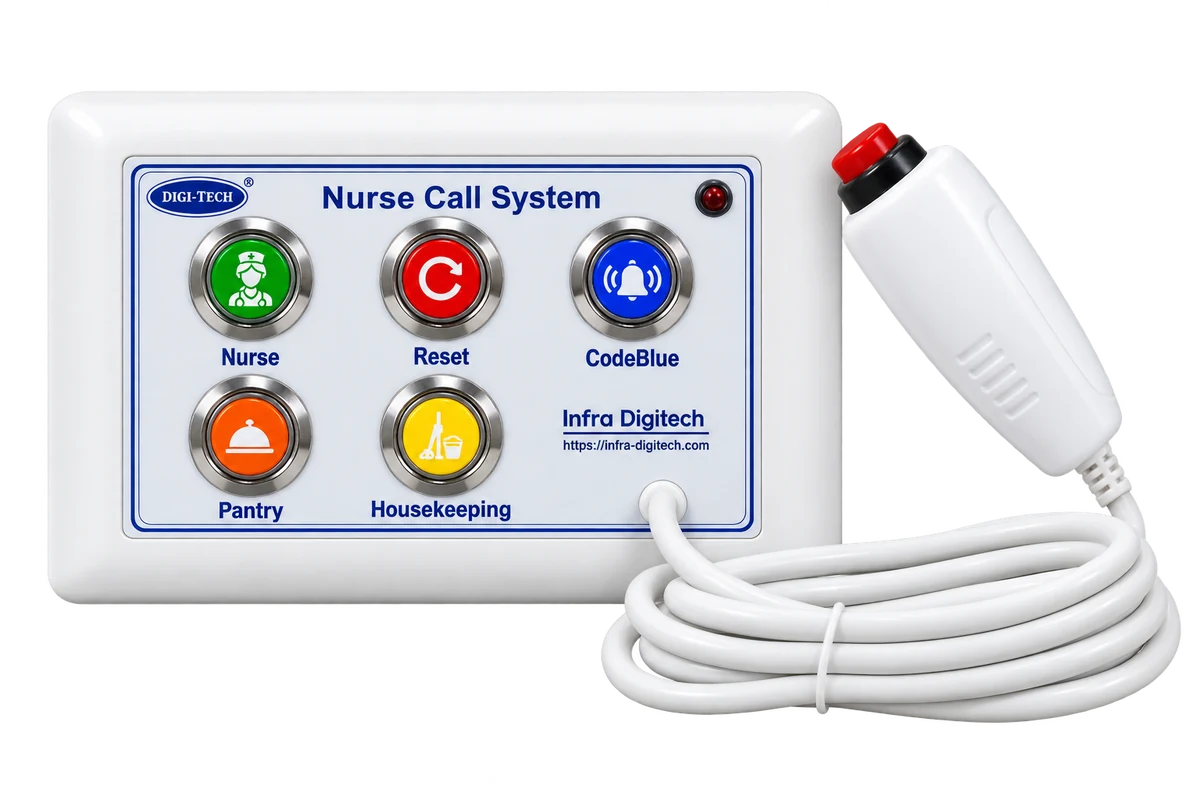
Bedside calling panel
Backlit IP65 buttons and a pendant on a lead, in a 2, 3 or 4 module unit — call, reset and Code Blue at the smallest, then housekeeping, then pantry. Fitting one is two screws and a pairing step: no back-box to cut, no conduit to chase and nothing for an electrician to terminate.
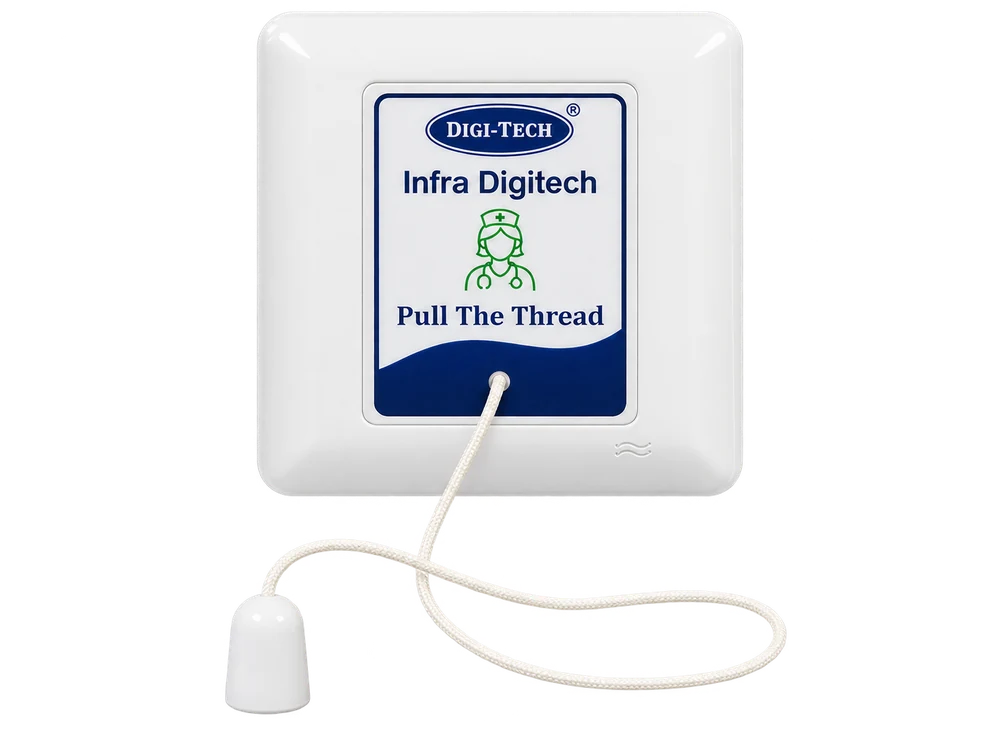
Toilet & shower pull-cord
Waterproof and hung to floor level so it can be reached by someone who has already fallen. It links to the calling unit over the air — or on 2-core cable where you would rather it were wired — so it goes exactly where the risk is rather than where a cable could conveniently be run, which in most washrooms is not the same place.
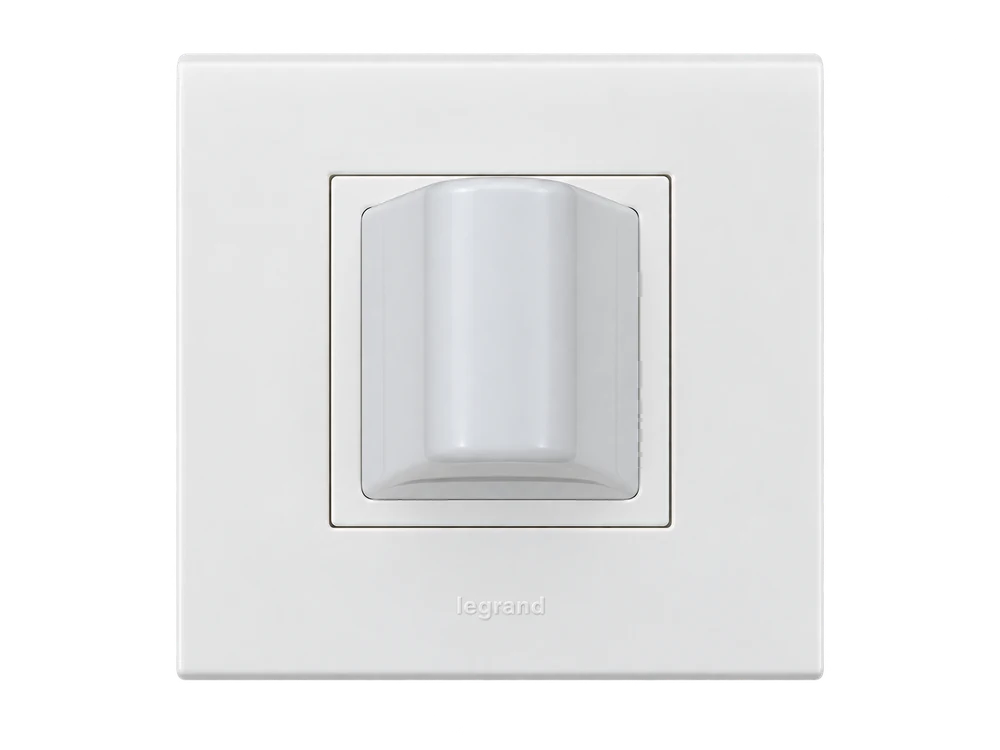
Multi-colour door indicator
Each indicator lights in whichever colour your protocol assigns to that call type, and blinks for Code Blue. It is the fastest part of the system to add later, so a ward that starts without them can have them fitted in an afternoon.
Your network, or one of its own
This is the decision that shapes an Air installation, and it is usually settled by your IT department rather than by the ward.
On the hospital's own Wi-Fi
Unlimited calling units
Where the building already has good coverage and an IT department happy to carry the traffic, the system joins the existing network like any other device. Capacity stops being a product limit and becomes a network question, which is why this is the route for a large floor.
- No additional access points where coverage is already good
- Capacity governed by your network, not by a port count
- One less piece of infrastructure to power and maintain
On a network the system generates
Up to 30 calling units
The system can raise its own Wi-Fi and hub network instead. Nobody has to provision a VLAN, open a port or take responsibility for clinical traffic on the corporate network — and when hospital IT has a bad night, the nurse call system does not.
- Independent of hospital IT — nothing to request, nothing to wait for
- Keeps working when the hospital network does not
- Often the faster route to approval in a hospital with a busy IT team
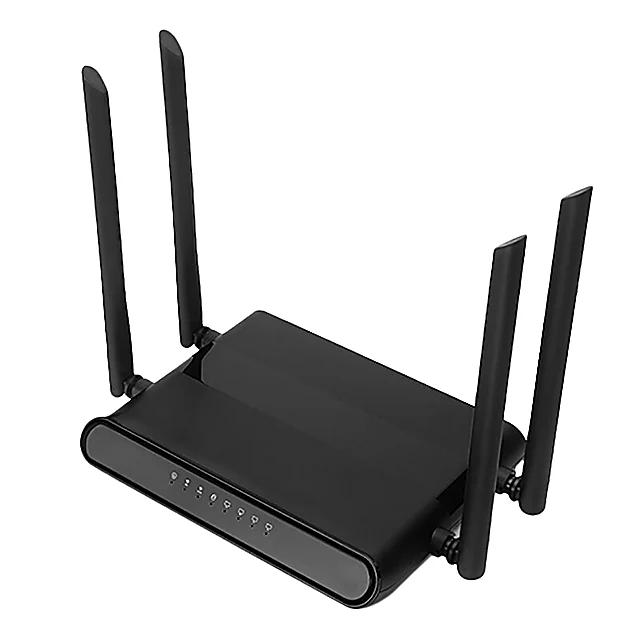
The repeater
Wall or shelf mounted, on a mains point. One at the turn of a corridor is usually all a long wing needs.
Where the signal thins, a repeater goes
Wi-Fi is straightforward when a ward is one open floor and gets harder the moment the building does anything interesting. Rather than pretend otherwise, Air extends coverage with repeaters — and we work out where they go from your floor plan before the quotation rather than after the complaints.
Repeaters where the signal thins
Wi-Fi does not bend around buildings, so on the Air model coverage is extended with repeaters rather than by asking the calling units to relay. We place them against your floor plan — the far end of a wing, the turn in a corridor, the stair core — before the quotation, not after the complaints.
A wired link between separate buildings
Where a block sits across a courtyard, a single wired link between the two carries the system over rather than trying to push Wi-Fi across open ground. One link, laid once, and both blocks are on the same nurse-call system.
Frequency hopping in the calling units
The calling units hop across frequencies instead of holding one, which is what keeps a call from being blocked by whatever else in a hospital happens to be radiating at that moment.
Coverage checked before we quote
We survey the actual building rather than assuming a clear rectangle, and tell you where repeaters are needed as part of the quotation. A wireless system that is planned honestly costs slightly more on paper and considerably less in year two.
Why this one goes in fastest
For a hospital running near capacity, the question is rarely which system is best on paper. It is which one can be installed without losing a ward for a fortnight. Air answers that better than anything else we make: there is nothing to chase into a wall, nothing that has to already be there, and no reason for a patient to be moved out of a bed while it happens.
- No cabling to the bedside, and no requirement for existing wiring
- No civil work, no dust, no ward closed and no beds moved out
- Call points mount on the wall and pair with the station
- Repeaters plug in where the survey says they are needed
- Typically the fastest of everything we build to bring live
It also makes a phased programme sensible. A hospital can take one ward, run it for a month, and then roll the rest out against a system its own nurses have already used — which is a far easier internal case to make than committing every floor at once.
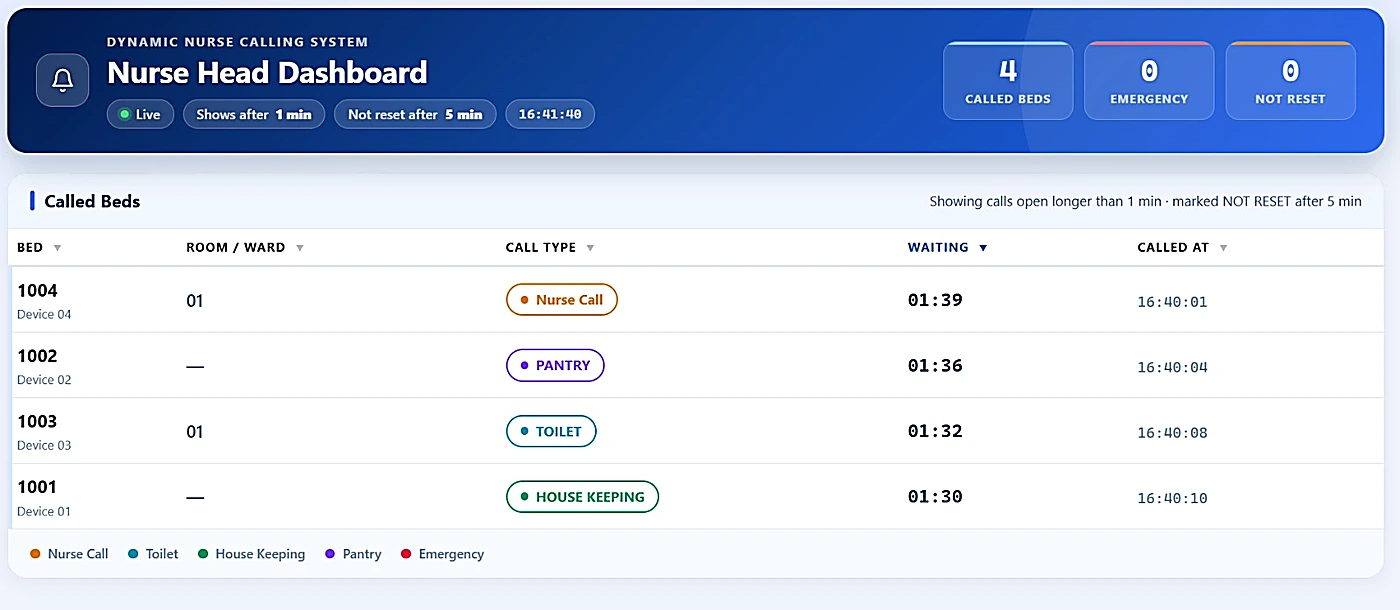
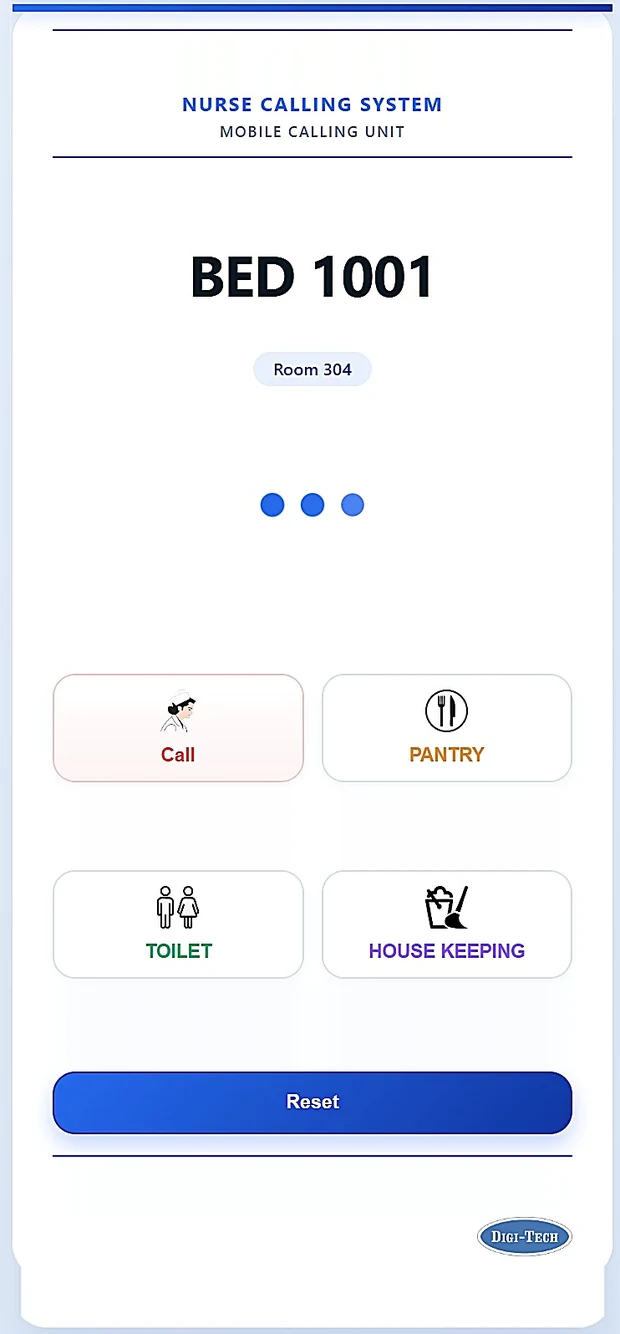
The mobile calling unit, carrying the bed, the room and every call type the ward uses. A nurse answers and resets from here rather than walking back to the station.
Nobody has to be standing at the desk
Wards do not lose calls because equipment failed. They lose them because the one person who could have answered was at the far end of the corridor with her hands full, and the screen that knew about it had nobody in front of it. Everything here exists to close that gap.
Mobile calling unit
A handheld on the same network as the beds and the station. A nurse two rooms away answers from where she is standing rather than walking back to a desk to find out which bed it was.
Head-nurse dashboard
Every open call in one list — bed, room, call type, waiting time and when it was raised — plus counts of called beds, emergencies and calls left unreset. On a floor where two stations cover each other at night, this is what stops an unanswered call belonging to nobody.
Escalation, forwarding and SMS
Set how long a call may go unanswered before the head nurse sees it, and how long before it is marked as never reset — both configurable to your ward. Calls can be forwarded between stations, and SMS alerts to staff away from a screen are available as an option.
Reminders scheduled against a bed
A dose, a blood sample, a drip bottle to change — scheduled against a bed and a time, and delivered to the station and the handheld as a coloured card that repeats until that bed's unit is reset.
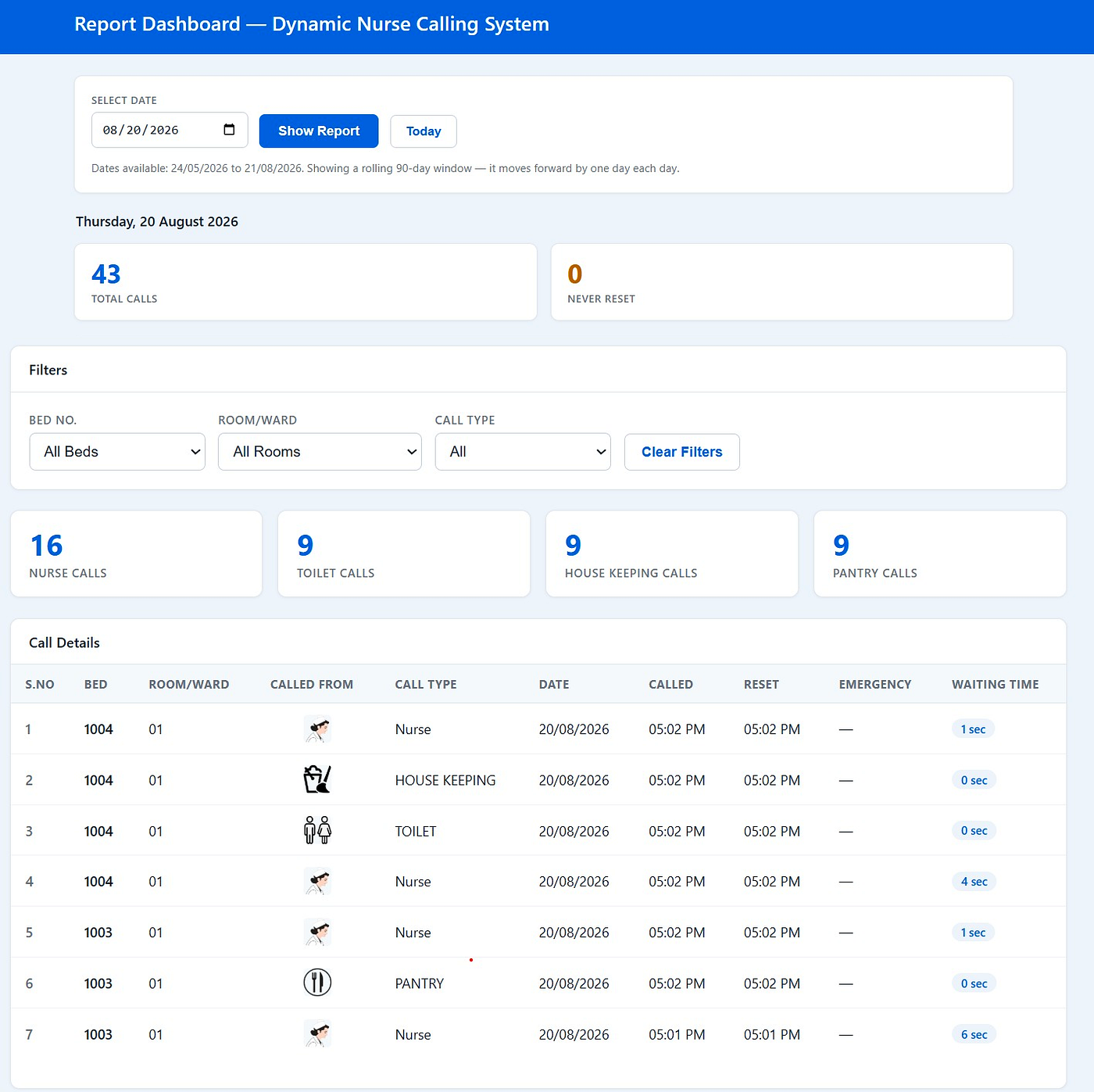
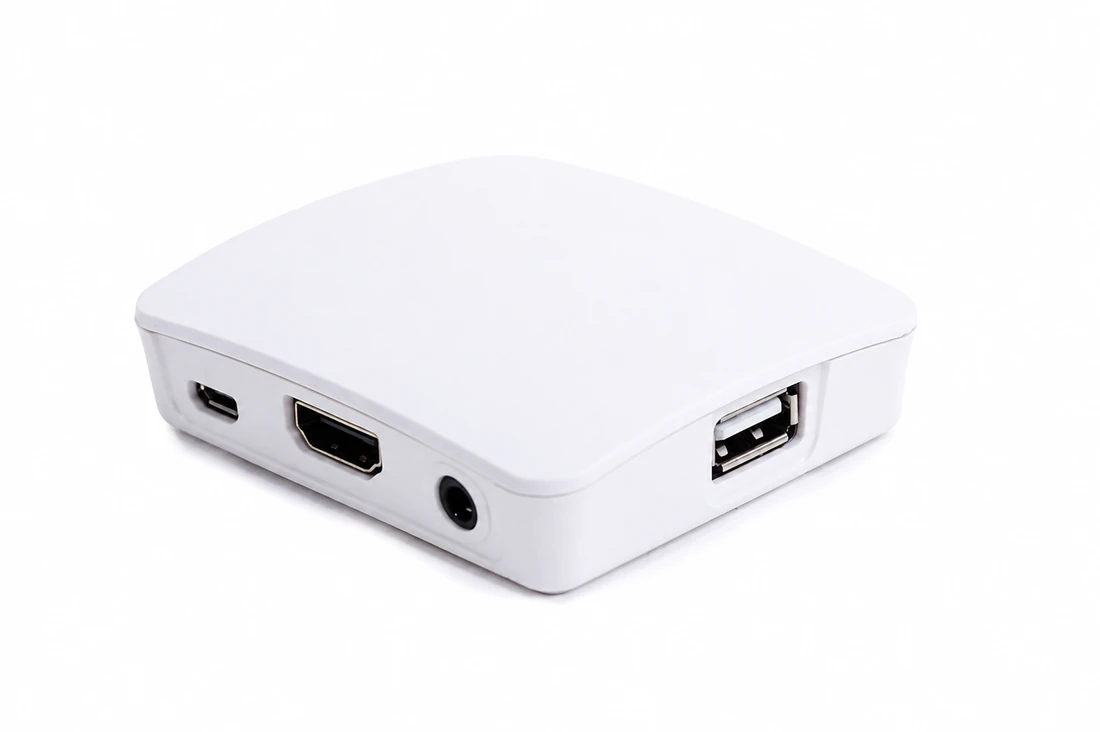
The mini server the call history is written to before anything leaves the ward.
Being on IP does not oblige you to go online
This model already speaks IP, so a supplier could easily make the cloud the point of it. We have not. Every call is written to the server in your building first, and the connected features are things you switch on if you want them.
Everything recorded on site first
A compact server holds every call, who cleared it and how long it took, whether or not the system is connected to anything else. Reports download from it per ward or consolidated across the hospital, for whatever period you ask for — a shift, a week, a month or between two dates — with Turn Over Time included.
Cloud dashboards, if you want them
Optional. On a model that is already running over IP, pushing consolidated reports up for dashboards and analytics is a small step — but it stays a step you choose to take, not one the system requires to work.
HIS / EMR integration, if you want it
Also optional, and equally straightforward on this model. Take it and nurse-call data sits inside your clinical systems; leave it and the reports behave exactly as they do now.
Exportable for NABH audit
Every call is timestamped and latches until cleared, so response-time evidence for accreditation is exported rather than assembled by hand the week before an inspection.
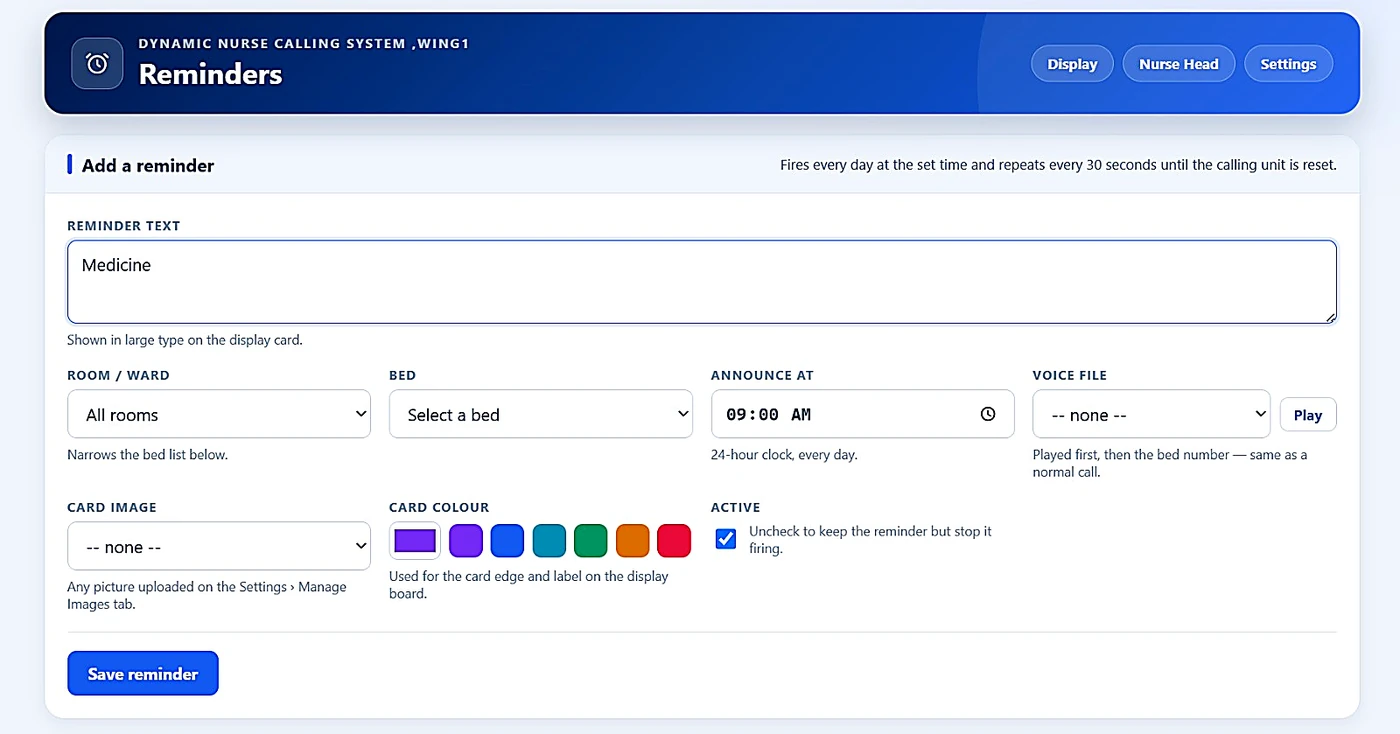
Setting one takes about ten seconds
Ward staff set these themselves. Type what has to happen, pick a bed or the whole ward, choose a time and a colour, add a voice announcement if you want one — and untick Active later to pause it without losing it.
Signavanc™ Air at a glance
Everything a nurse and a patient actually touch — the console, the call points, the handheld, escalation and the reports — is common to the whole wireless range and is described on the wireless nurse call page. If the building itself is the obstacle rather than the schedule, Signavanc LR is the other half of this range.
Thick walls or a basement ward? That is the point at which the other wireless model earns its keep — it relays through its own units instead of relying on Wi-Fi reaching.
Signavanc LRSignavanc Air — common questions
Networks, capacity, repeaters and how quickly a ward can be live.
What is the Signavanc Air nurse call system?
Signavanc Air runs the complete nurse call platform over Wi-Fi. Battery-powered call points at the bed and in the washroom talk to the nurse station over the air, and the system can run either on the hospital's own Wi-Fi or on a Wi-Fi and hub network it generates for itself. Nothing is cabled to the bedside, so a ward can be brought live quickly and without civil work.
Do we have to put it on the hospital network?
No, and many hospitals choose not to. The system can generate its own Wi-Fi and hub network, which means no VLAN to provision, no ports to open, no clinical traffic on the corporate network and no dependency on hospital IT being available. On your own network the system supports unlimited calling units; on the network it generates itself, up to 30 — so the choice is usually made on ward size and on how your IT department prefers to work.
How many calling units does it support?
Effectively unlimited when it runs on the hospital's own Wi-Fi, because capacity becomes a network question rather than a product limit. On the network the system generates for itself, up to 30 units per station. If a single large floor has to run independently of hospital IT, that is usually the point at which we would talk to you about Signavanc LR instead, which carries up to 256 on its own radio.
When are repeaters needed?
Wherever the survey shows the signal thinning — commonly the far end of a long wing, a corridor that turns, a stair core, or a lower-ground level. Air extends with repeaters rather than by relaying through the calling units, so they are a normal part of an Air design rather than a sign something is wrong. We identify them from your floor plan and include them in the quotation, so there are no additions later.
Can it cover a separate block across the campus?
Yes, with a single wired link between the two buildings. Pushing Wi-Fi across open ground between blocks is unreliable and we would rather not sell it that way — one link, laid once, puts both blocks on the same nurse-call system. If a campus has several separate buildings, Signavanc LR is often the better fit, since it carries between blocks on its own radio.
How quickly can a ward be brought live?
Air is the fastest of everything we build. There is no cabling to the bedside and no existing wiring required, so the work is mounting call points, siting the station and any repeaters, and commissioning — with the ward occupied throughout. The honest constraint is usually your side rather than ours: agreeing positions and getting access to rooms.
Is the cloud or HIS / EMR integration required?
Neither. Both are optional. Every call is recorded on the mini server on site, and reports download at each nurse station or centrally for the hospital whether or not you take anything else. If you want cloud dashboards or your nurse-call data inside your clinical systems, both are available — but declining them costs you nothing.
Should we choose Signavanc Air or Signavanc LR?
Choose Air when the building is straightforward, Wi-Fi coverage is decent or easily extended, and getting the ward working quickly matters most. Choose LR when the building itself is the obstacle — thick masonry, basement levels, long bent wings or several blocks — or when a single station has to carry well over a hundred beds. Both models share the same console, call points, handhelds, escalation and reporting.
Tell us about the ward and the network
Bed count, the shape of the floor, and whether your IT department would rather the system used the hospital Wi-Fi or stayed off it. We will mark up call point positions and any repeaters, and quote the same day.